Production management that measures directly at the machine
Visiolog MESPro is a web-based MES system covering production from planning to quality checks, service and maintenance. Data comes directly from machines in real time.
Features
From machine to report in one system
The system connects directly to machines through envio's data collector. Every production cycle is stored on the production order with its duration and timestamp.
Direct machine connectivity
The data collector connects via Ethernet, fits all machine types and has an offline backup.
ERP integration
Orders are imported automatically from your ERP system and returned with production figures, without manual entry.
Operator terminals
Production terminals at the machines for operators to register work and follow progress.
KPIs and reports
Analysis, downtime reports and root-cause analysis based on collected data.
Production planning
Interactive Gantt chart with live machine data. Orders are checked against machine and tool data.
Notifications
SMS and email alerts for stops, targets reached and upcoming orders.
Developed for plastics manufacturing and adaptable to other production environments.
The product
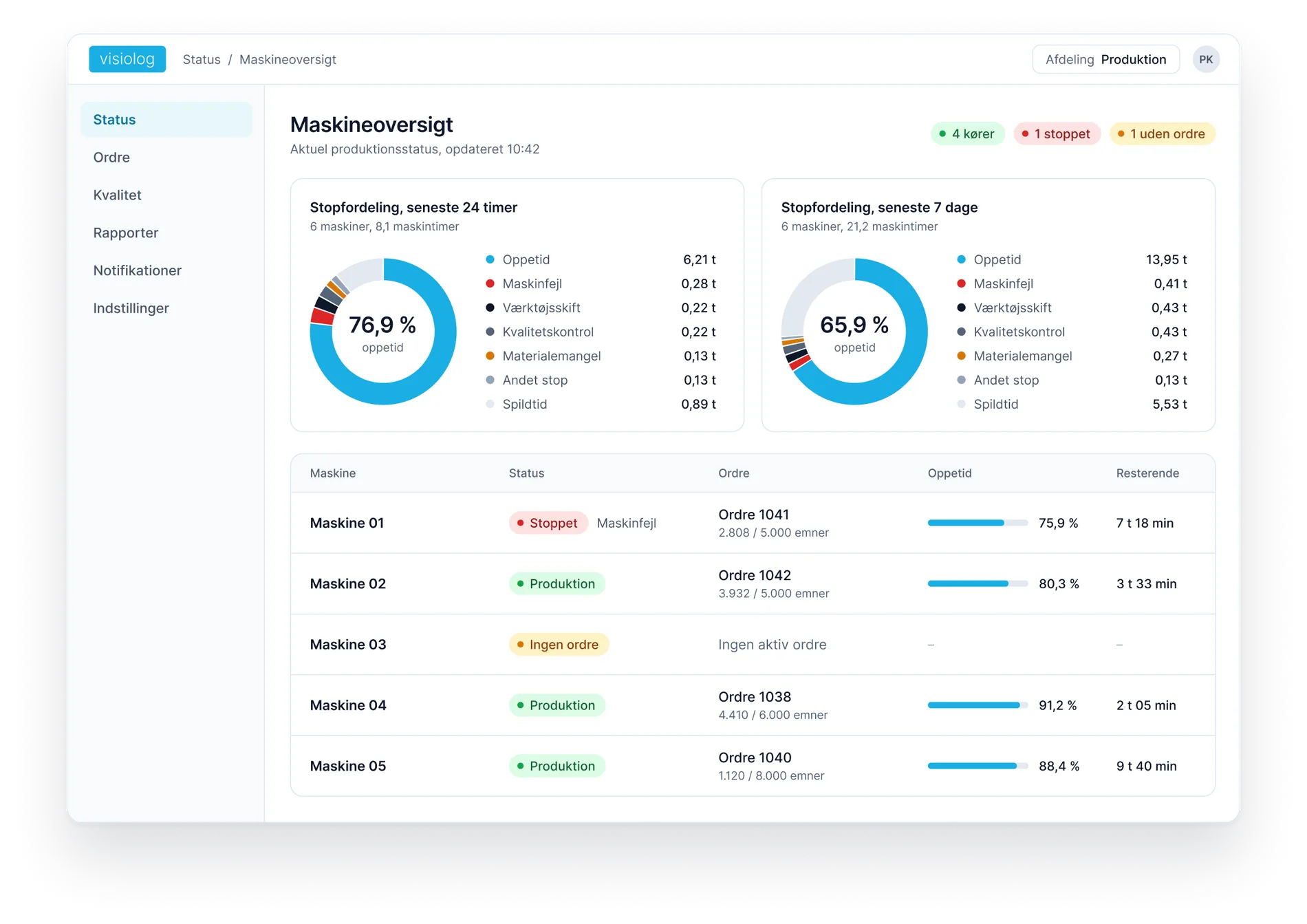
See what is happening on every machine
Running time, stops and causes are measured at the machine and shown as they happen.
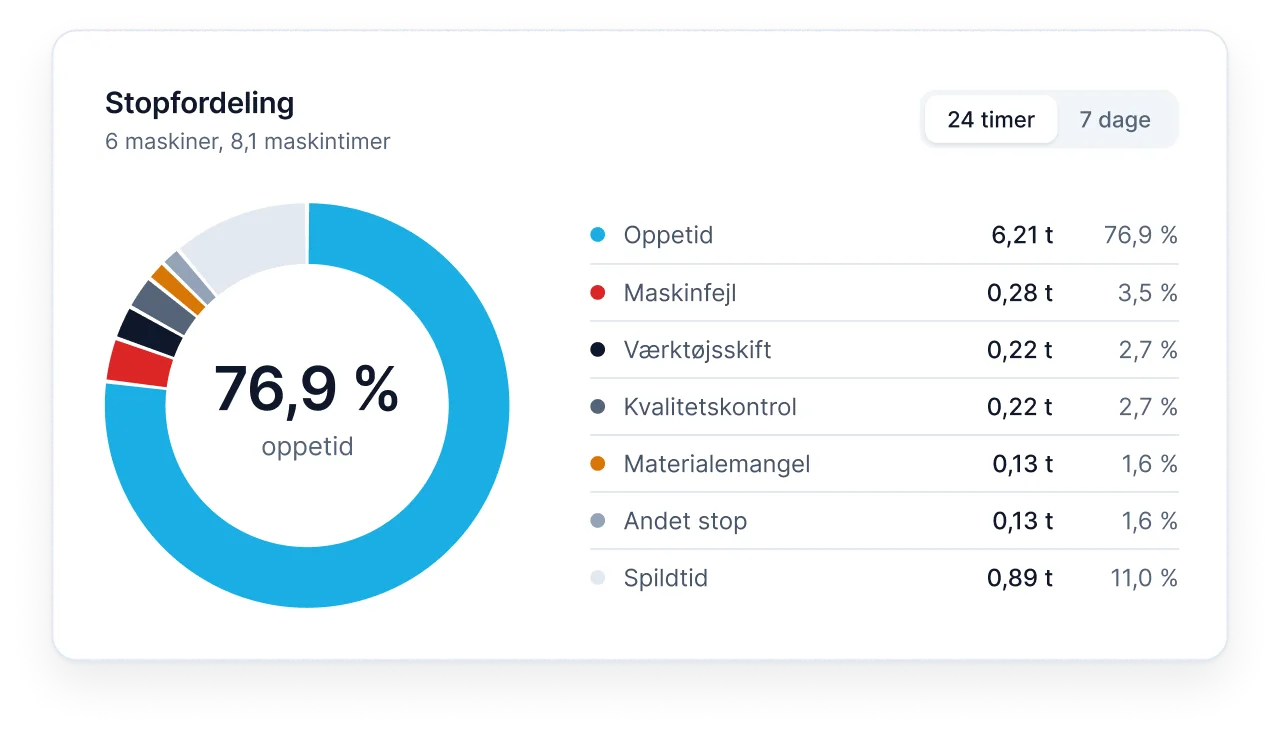
How much are machines idle, and why?
Stop distribution shows uptime, lost time and each stop's cause. Few teams have this figure today.
- Uptime, lost time and stops in hours and percentages
- The cause of every stop
- For the last 24 hours and the last seven days
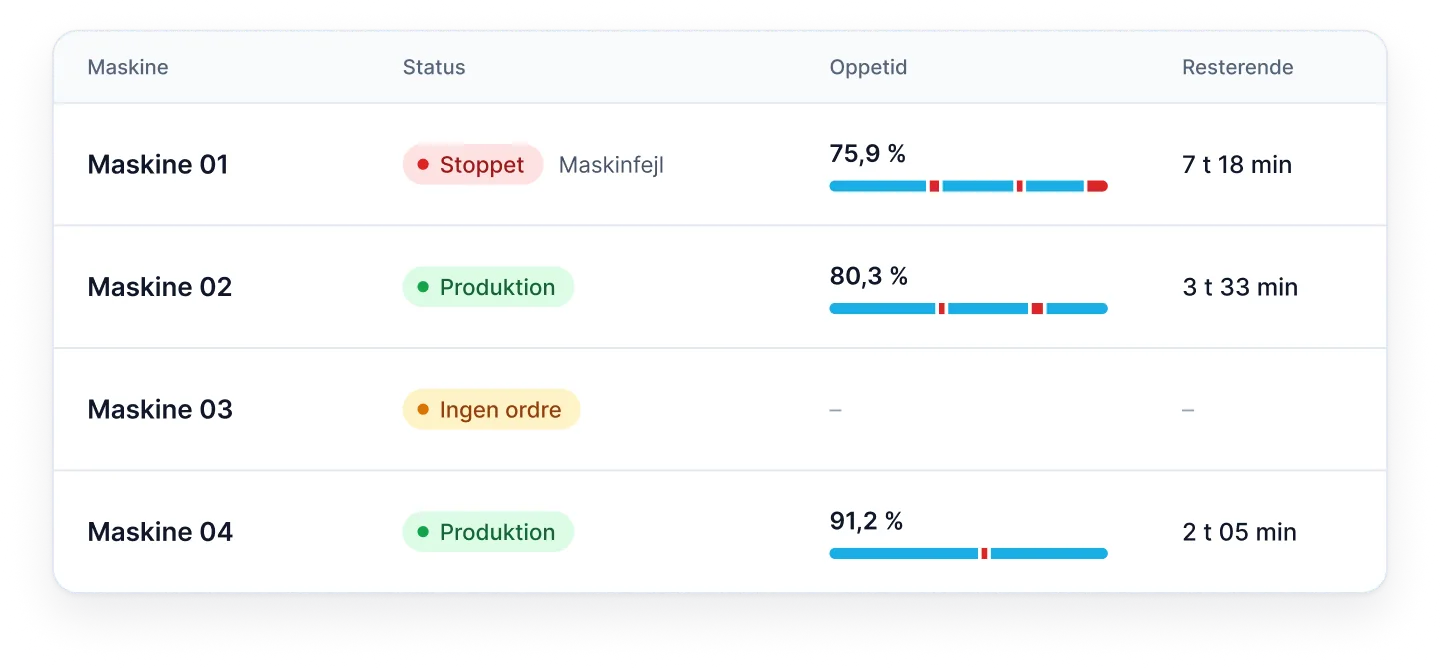
Each machine at a glance
See immediately which machine is idle and which is reducing performance.
- Live status of every machine
- Uptime and remaining order time
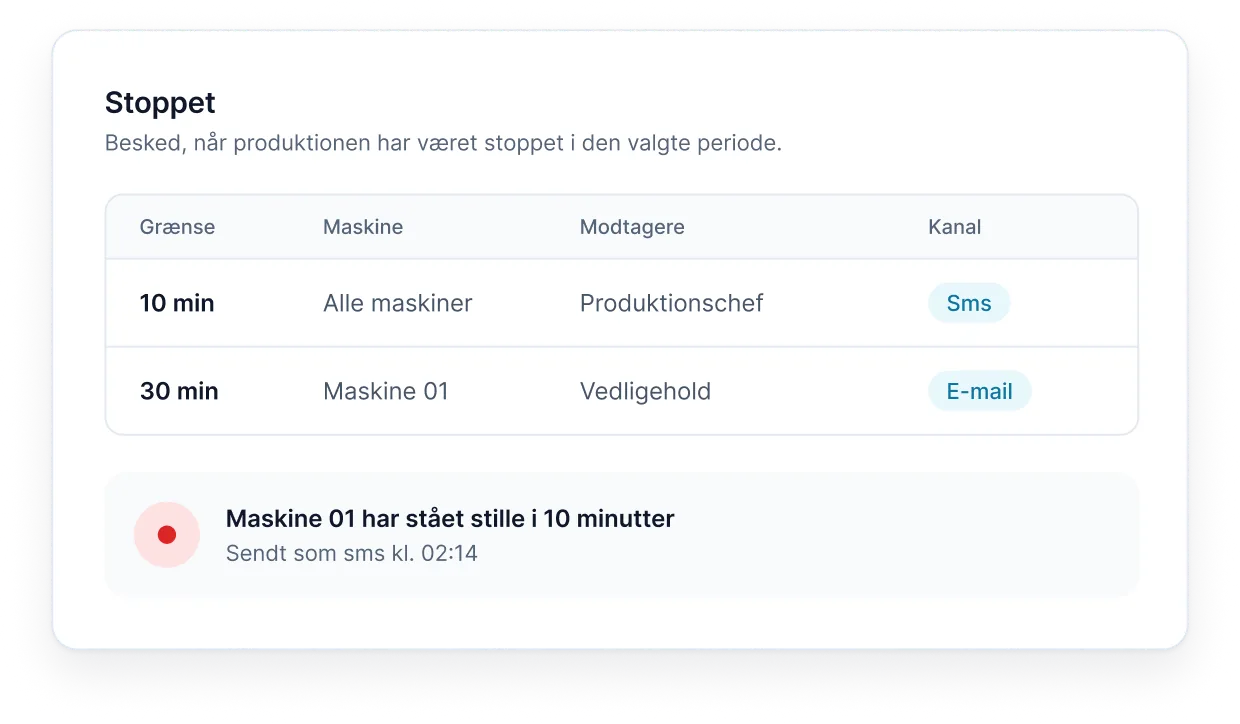
An alert when a machine has been idle
Set your own threshold. If a machine stays idle longer, the right people receive an alert.
- Choose the threshold and machines
- SMS or email alerts
- Sent to the people you choose
How it works
From machine to overview
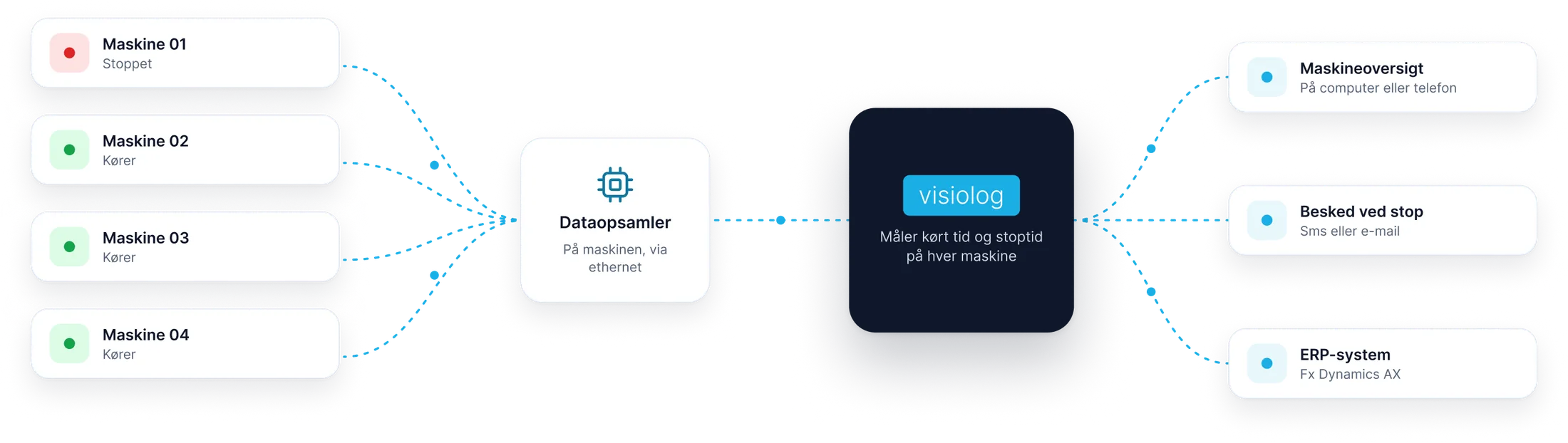
A data collector on the machine sends running time and downtime to Visiolog.
-
We connect a data collector to the machine
Envio's data collector fits all machine types, new and old, and connects via Ethernet.
-
See running time and downtime
For each machine, on your computer or phone.
-
Get notified when a machine stops
By SMS or email, so you can get it running again promptly.
More of your production, connected
Energy, labels and ERP
See energy use, put the right label on each package, and connect production with sales, purchasing and inventory.
Machines and peripheral equipment
Energy measurement
Track energy use, allocate shared meters and compare kWh with what you produce.
Explore energy measurementDesign and print
LabelPrint
Design labels with production data, QR codes and barcodes. Print during packing and find previous output in the history.
Explore LabelPrintNew · Beta
Visiolog ERP
Bring sales, purchasing, inventory and production routes together in guided workflows linked directly to MESPro.
Explore the new ERPPackages
Start by measuring. Build from there.
MESPro Light provides measurement and visibility. MESPro adds planning, quality, notifications and ERP integration.
MESPro Light
For teams starting with measurement
- Machine connectivity and data collection
- Master data
- Downtime management
- KPIs and reports
- Real-time production overview
- Packing terminal
MESPro
For teams managing the entire production
Everything in MESPro Light, plus:
- Gantt-based production planning
- Quality and maintenance
- SMS and email notifications
- ERP integration
- Optional modules such as LabelPrint and energy measurement
Questions and answers
Frequently asked questions
What is Visiolog MESPro?
Visiolog MESPro is a web-based Manufacturing Execution System from envio. It covers production management from planning to quality checks, service and maintenance, using live data directly from machines.
How does Visiolog measure machine activity?
A data collector connects to the machine via Ethernet. It records production cycles, running time and stops with timestamps, with offline backup if the connection drops.
Does Visiolog work with older machines?
Yes. The data collector fits all machine types, new and old.
Can Visiolog integrate with our ERP system?
Yes. Orders can be imported automatically from your ERP and production figures returned. Envio has developed integrations with Microsoft Dynamics AX and Microsoft Business Central, among others.
Which industries is Visiolog for?
Visiolog MESPro was originally developed for plastics production, but is flexible and can be adapted to other production environments.
What is the difference between MESPro Light and MESPro?
MESPro Light includes machine connectivity and data collection, master data, downtime management, KPIs and reports, a live production overview and packing terminals. MESPro adds planning, quality and maintenance, SMS and email notifications, ERP integration and access to optional modules.
Can I try Visiolog before deciding?
Yes. Request a demo factory with simulated production tailored to your industry, available for 30 days. You can also book a guided demonstration.
See what Visiolog can show about your production
Book a demo and we will walk through the system using your machines as a starting point.
- A no-obligation walkthrough
- We usually respond within one working day
- Danish support from Silkeborg, 31 13 16 60
Prefer to try it yourself? Try the demo factory
Book a demo
Leave your details and we will call or email you.
Thank you, we have received your message
We usually contact you within one working day. If it is urgent, call 31 13 16 60.