NewAndroid app
Give the stop a reason, right at the machine
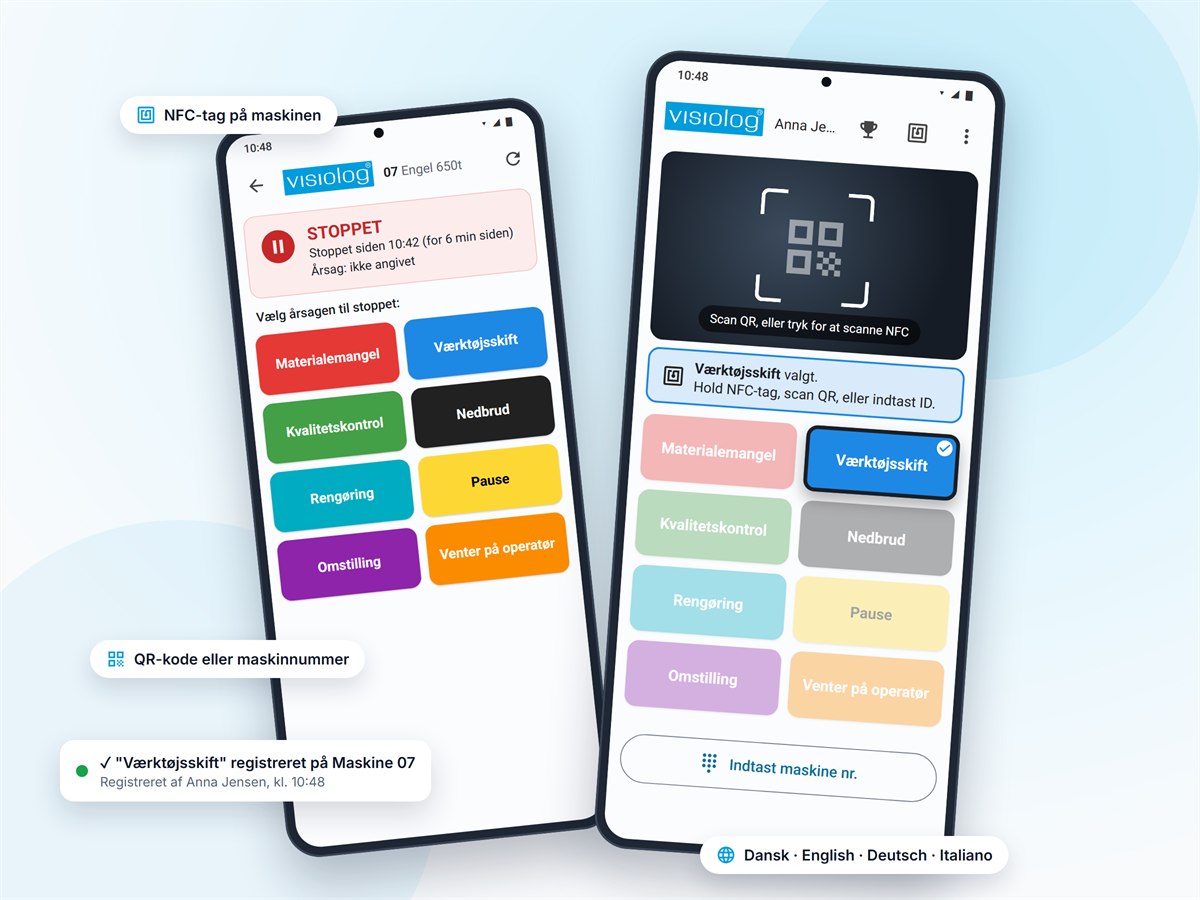
With Visiolog Shopfloor, operators pick the reason on their phone and hold it against the machine's NFC tag. The reason is then on the stop in Visiolog straight away. No paper notes and no trip to the terminal.
- NFC, QR code or machine number
- Your own downtime reasons and colours from Visiolog
- Danish, English, German and Italian
How it works
From stopped machine to known reason in a few seconds, with nothing to type in afterwards. The illustrations show the Danish interface.
 1
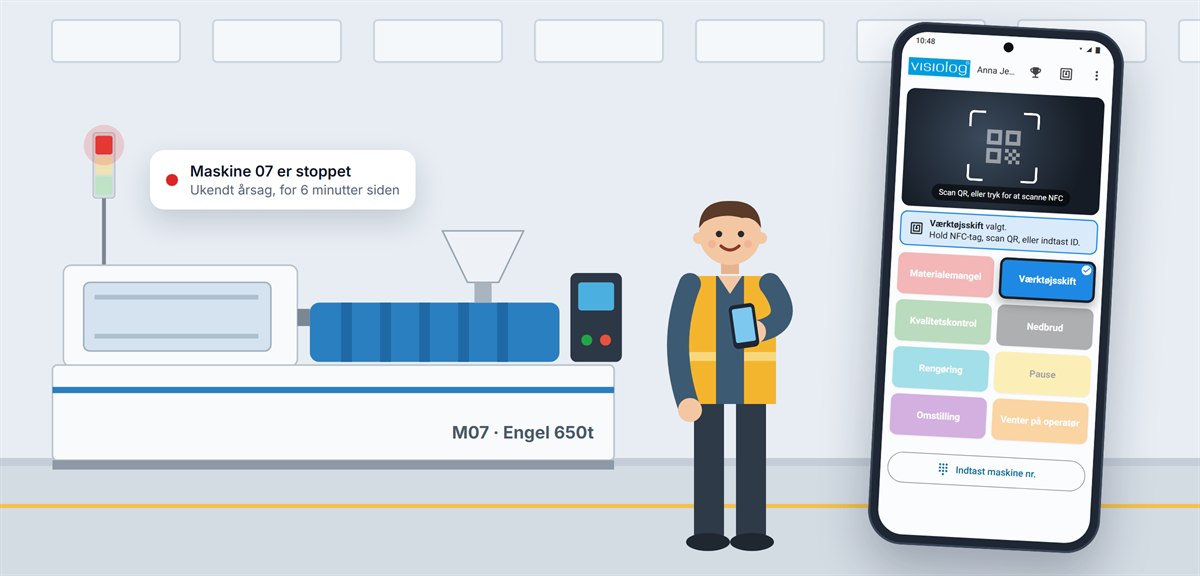
Pick the reason
Large, coloured buttons with the downtime reasons you have set up in Visiolog. One tap and the reason is selected.
 2
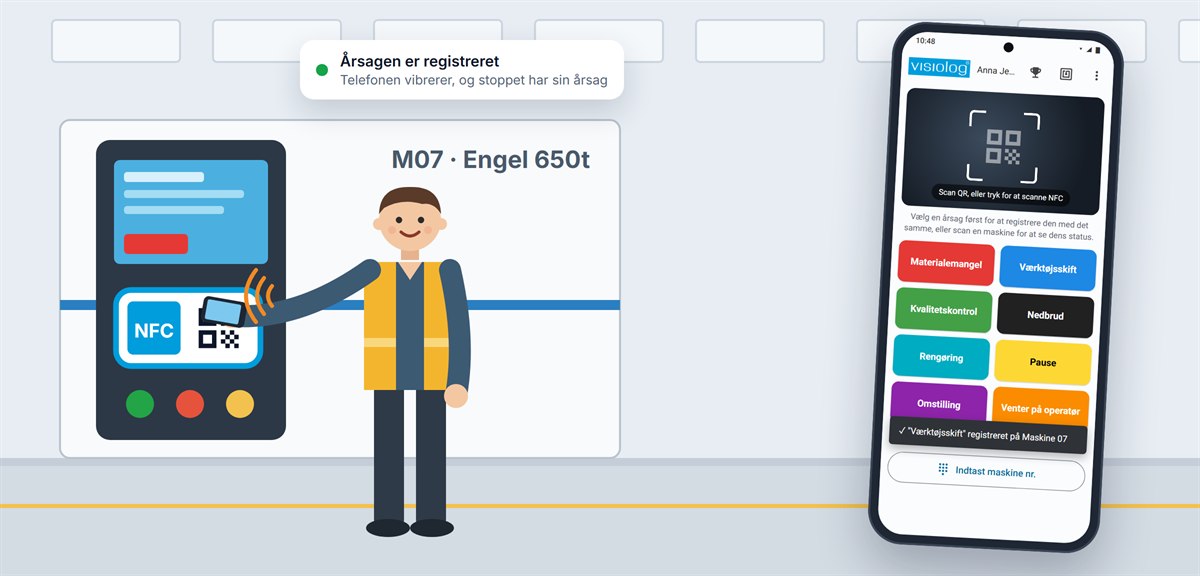
Scan the machine
Hold the phone against the machine's NFC tag, scan the QR code or type the machine number. The phone vibrates when the reason is recorded.
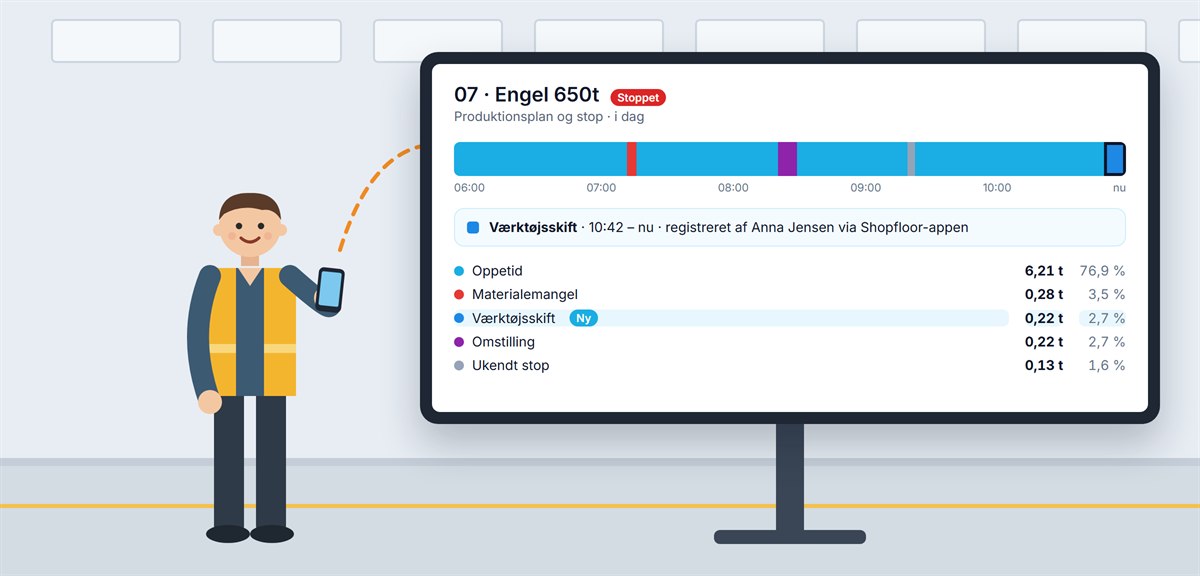 3
The reason is in Visiolog
The stop gets its reason straight away, together with the name of the person who recorded it. Downtime breakdown and reports are up to date.
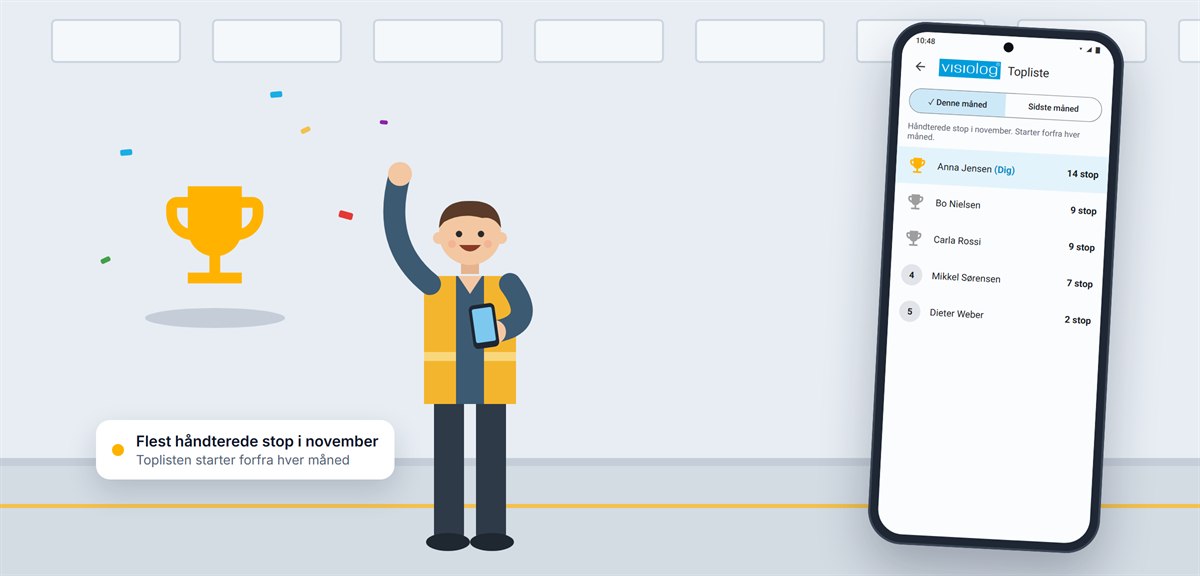 4
Follow the leaderboard
The leaderboard shows who has handled the most stops in the month and starts over every month. It makes getting every stop recorded a bit more fun.
More than a button
The app is made for everyday work on the floor, also when the stop is already over or someone picked the wrong reason.
Machine status
Scan a machine without picking a reason to see whether it is running or stopped, for how long and for what reason.
Unknown stops afterwards
If the machine is running again, the reason can be put on the last stop. Unknown stops are shown one at a time, newest first.
Correct it or start a new stop
If the stop already has a reason, it can be corrected. Or a new stop can start now with the new reason.
Quick setup
The phone connects to your server with a QR code or an NFC tag. Tags for the machines are written straight from the app.
Several users on one phone
Switch user from the menu. The phone remembers recent users, so shift changes are quick.
Four languages
Danish, English, German and Italian. The app follows the phone's language, so everyone can use it.
What you need
The app works on the same stops that Visiolog already measures on the machines. It does not replace the measurement; it gives the stops a reason.
Read about downtime management in Visiolog- Visiolog MESPro with downtime management
- An Android phone, ideally with NFC
- NFC tags or QR codes on the machines
- Access to your Visiolog server from the phone over Wi-Fi or your network
See what Visiolog can show about your production
Book a demo and we will walk through the system using your machines as a starting point.
- A no-obligation walkthrough
- We usually respond within one working day
- Danish support from Silkeborg, 31 13 16 60
Prefer to try it yourself? Try the demo factory
Book a demo
Leave your details and we will call or email you.
Would you rather pick a time yourself?
Thank you, we have received your message
We usually contact you within one working day. If it is urgent, call 31 13 16 60.